
AggiePark
Timeline
April 2024 - June 2024
Category
B2B
UX/UI
Role
Design & Research
Tools
Figma
Collaborators
Product Management
Development
BACKGROUND
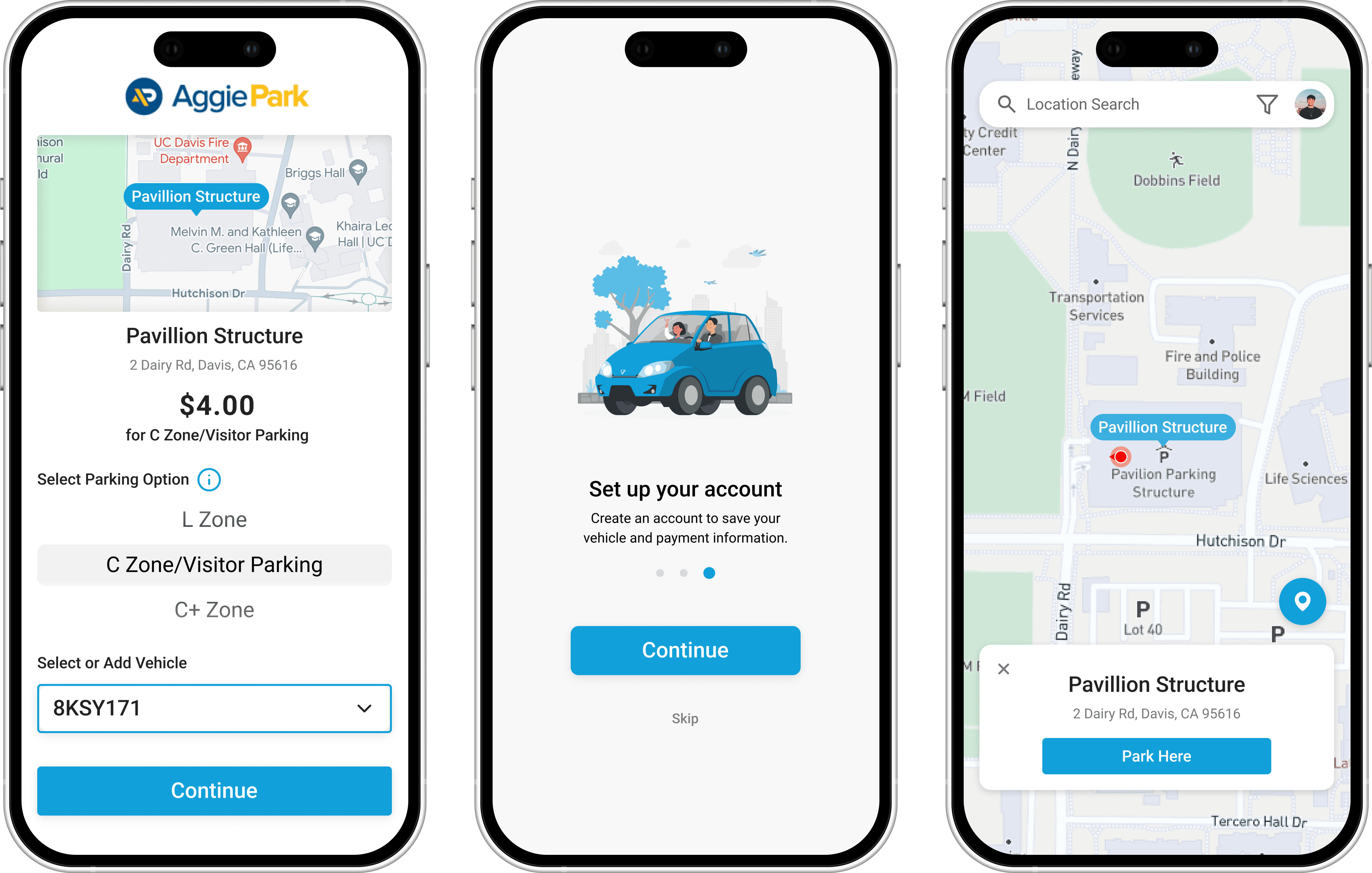
AggiePark via the AMP Park app makes it easy to pay for parking at UC Davis right from your phone. However, the app has received a lot of feedback from users that want to see improvement. With that in mind, we were tasked with demonstrating how these improvements could be implemented into the AMP Park app.
MISSION
Improve the user interface to promote accessibility and address user feedback. I also aimed to create a scaleable product with other cities in mind, as the app is growing and being used on multiple US campuses.
RESEARCH
I used competitive analysis of other parking apps, mass surveys, 1-on-1 interviews, focus groups, and user testing sessions to gain a deep understanding of user's pain points and their experience with on-campus parking.

I gathered quantitative data on users' experiences through 8 user testing sessions. Users were asked to find a parking zone, search for parking near specific campus locations, and go through the payment process.
7 out of 8
found it confusing to find parking zones on the map
50%
struggled with checking out due to lack of instruction
Many were unsure where to begin the process of paying for parking
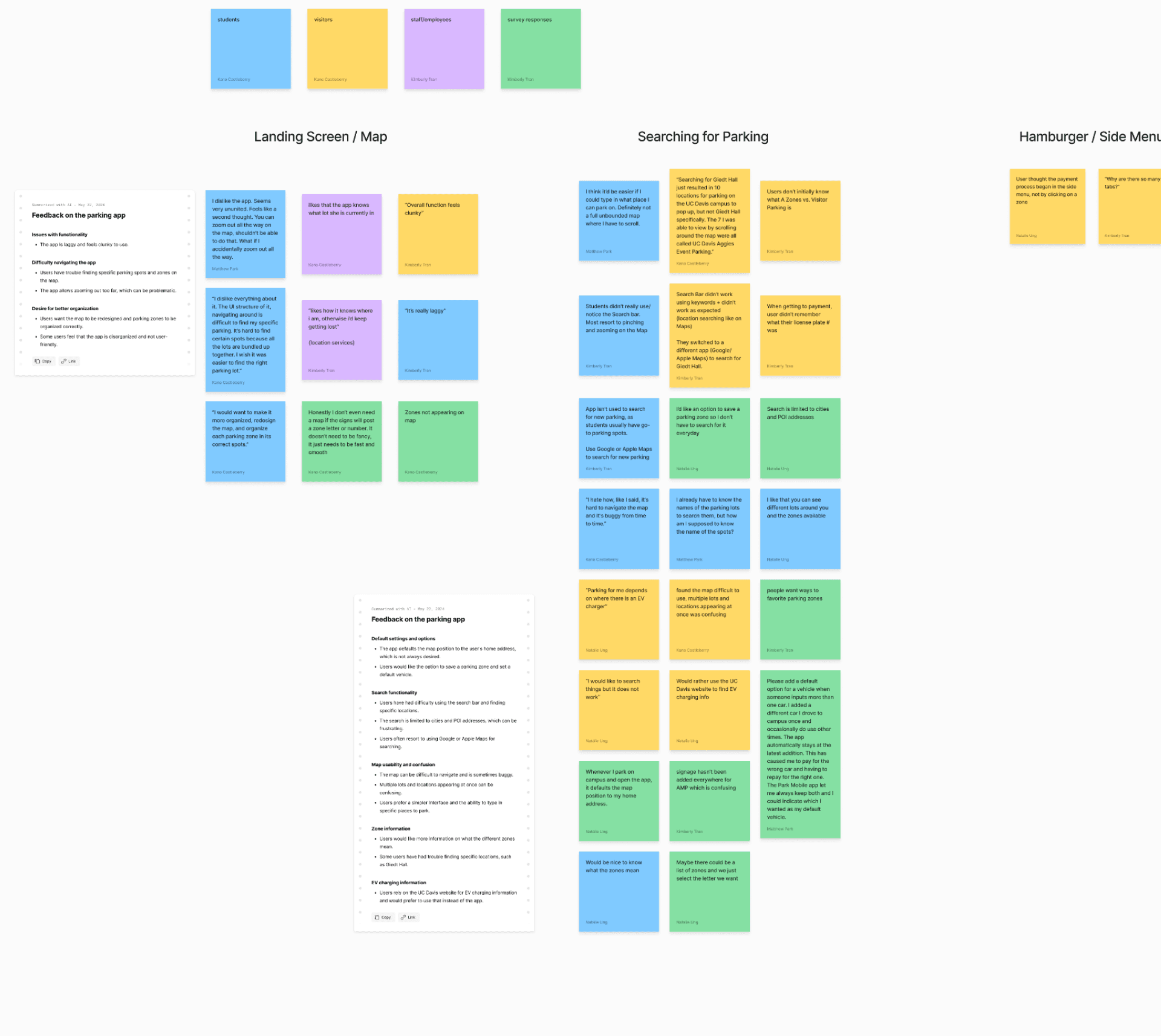
I synthesized these findings into an affinity map. The main pain points discovered were:
1. Many users felt unsafe adding and storing their payment information with the app, primarily due to the outdated looking interface and lack of information and transparency about user data.
Users were frustrated by confusing interfaces. Oftentimes, users completely missed buttons or callouts because they weren’t visible enough.
Users wanted more personalization. Users expressed wanting a way to quickly purchase the same parking pass each day
FINAL DESIGN
By adding an onboarding flow we aimed to alleviate users safety concerns about AMP Park. We also gave users the option to immediately create their account, streamlining the parking process.
We simplified location browsing by having users select their parking lot, rather than displaying every pass within each lot. Also users can now search by campus locations, rather than just by parking pass type.
On the check-out page, we created stronger visual hierarchy to make calls to action more visible. We also offered multiple payment methods and the ability to change vehicles, offering more personalization and convenience for users.
In the profile, users can add new vehicles, set their default vehicle, and add new credit card information. This is especially important for staff that commonly share vehicles and payment methods with their family members.
TAKEAWAYS
📡 Communicating with stakeholders
This project is significant to me because it was my first "real-world" UX design project. After completing our design, our final task was to present our work to stakeholders at AMP Park. Prior to presenting, we planned how we wanted to carefully communicate our research findings and our design suggestions. We navigated presenting a redesign in a way that remained respectful to their original project and using language that non-designers could easily pick up on.
🤝 Design and business go hand-in-hand
In doing this project, I learned how to think deeply about design aspects that I had never had to consider before, such as business constraints and scaleability of the product. Before beginning on our design, we clarified that our project needed to follow the branding guidelines of AMP Park. Also, since AMP Park is used on other campuses, our features had to be applicable to any location.
👥 Learn from those around you
On this project, I was lucky to work with very talented designers that had previous experience working with businesses and stakeholders. I definitely learned a lot from observing the language they used and the leadership skills they exhibited.